
How to Remove a Google Review That Violates Google Policies
One bad review can cost you customers.
A fake one left by a competitor or a disgruntled ex-employee can cost you even more. And most business owners have no idea they have the right to request its removal or how to actually do it.
Google has a clear set of content policies that every review must follow. Reviews that violate those policies are eligible to be flagged and removed. The process is not instant and it is not guaranteed, but it works when done correctly.
Here is exactly how to do it.
Which Google Reviews Can Be Removed
Google does not remove reviews simply because they are negative. A genuine one star review from a real customer is not grounds for removal even if you believe it is unfair.
What Google will remove are reviews that clearly violate its content policies.
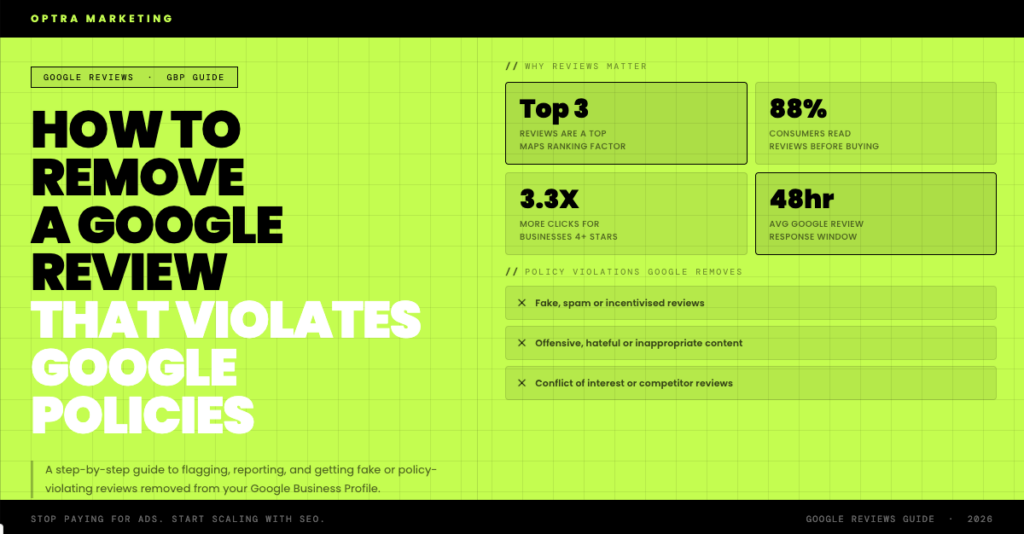
Fake or spam reviews that were not written by a genuine customer, posted by bots, or submitted multiple times from the same person or account.
Conflict of interest reviews left by current or former employees, by the business owner themselves, or by a competitor with a clear stake in damaging your reputation.
Offensive content containing hate speech, discriminatory language, profanity, or threats targeting a person based on their identity.
Irrelevant content that has nothing to do with your business or a real customer experience.
Promotional content that is clearly advertising another business rather than providing genuine feedback.
Private information violations where a review contains someone’s personal details such as a phone number or address without consent.
Defamatory content containing provably false statements of fact designed to damage your business.
If the review falls into any of these categories, you have grounds to flag it.
How to Flag a Google Review Step by Step
Method 1: Flag From Google Maps
Open Google Maps and search for your business. Find the review you want to flag. Click the three dot menu icon next to the review. Select Report review. Choose the reason that most accurately describes the violation. Submit.
Method 2: Flag From Your Google Business Profile Dashboard
Log into business.google.com. Click Reviews in the left menu. Find the review. Click the three dot menu icon. Select Flag as inappropriate. Follow the prompts to specify the violation type.
Method 3: Contact Google Support Directly
If the above methods produce no result, escalate through Google’s support at support.google.com/business. Use the Contact Us option, explain the situation clearly, reference the specific policy the review violates, and provide as much context as possible. This gives you access to a human reviewer rather than an automated system.
What Happens After You Flag
Google’s automated systems review the flag first. If there is a clear violation it will be removed. If not, a human reviewer may assess it.
You will not always receive a notification. Check back after a few days to see if the review has been removed.
If Google determines the review does not violate its policies it will remain on your profile. That does not mean you are out of options.
What to Do If Google Does Not Remove It
Wait and flag again. Google’s automated decisions are sometimes inconsistent. Waiting a week and resubmitting through a different method can produce a different result.
Contact support directly. Use the live chat or phone support option through business.google.com. Have documentation of the violation ready before you call.
Post in the Google Business Profile community forum at support.google.com/business/community. Google product experts who have escalation access monitor this forum and can sometimes push cases forward that automated systems missed.
Consult a legal professional if the review is defamatory. If it contains provably false statements of fact that are damaging your business, a formal legal request to Google sometimes prompts faster action than a standard flag.
Document everything throughout the process. Screenshots of the review, dates, and records of every flag submitted are valuable if you need to escalate further.
How to Respond While Waiting
Do not leave a flagged review unanswered while you wait for Google to act. Potential customers reading your profile will see both the review and your response.
Keep it brief and professional. Do not accuse the reviewer of being fake publicly. Instead acknowledge the review, note that you cannot find any record of this customer, and invite them to contact you directly.
Something like: “Thank you for your feedback. We have searched our records but cannot find any record of your visit or experience with us. We would welcome the chance to speak with you directly. Please reach out at [contact details] so we can understand and resolve this.”
This protects your reputation with readers without escalating the situation.
How to Protect Your Profile Going Forward
The strongest protection against fake or malicious reviews is a large, active, genuine review profile. One bad review among 80 carries far less weight than one bad review among 10.
Build a consistent review collection system into every completed job. A simple text message with a direct link to your Google review page sent after every service is all it takes.
Monitor your reviews regularly. Set up Google Alerts for your business name so you are notified the moment a new review appears. The faster you spot a policy violation the faster you can act.
Respond to every review consistently. Active engagement signals to Google that your business is legitimate and properly managed. It also builds trust with every potential customer who reads your profile.
Report suspicious patterns immediately. If you see a sudden influx of negative reviews from accounts with no review history, report the pattern to Google support as a coordinated attack rather than flagging each one individually.
Reviews You Cannot Remove
Be honest with yourself about this. Most genuine negative reviews cannot and should not be removed.
If a real customer had a bad experience and left an honest account of it, that is not a policy violation. Google will not remove it regardless of how unfair it feels.
The right response to a genuine negative review is a professional public reply that shows potential customers how you handle problems, followed by actually fixing the issue. That kind of response is often more powerful for your reputation than the negative review itself.
Fight to remove reviews that are fake, offensive, or clearly in violation of Google’s policies. Those have no place on your profile and you have every right to pursue their removal. Accept and respond professionally to everything else.
Ready to Build a Review Profile That Protects Your Rankings?
Reviews are one of the top three ranking factors for Google Maps. Managing them properly is not just reputation management. It is SEO.
At Optra Martketing we help businesses build strong review profiles, respond to violations the right way, and build the kind of Google presence that keeps delivering leads month after month.
If you want to know where your business stands right now, book a free local SEO audit with us today.
No commitment required. Just an honest look at your current online presence and exactly what needs to change.
Book your free audit
