Search Console Now Shows AI Overview: How To Read The New Data
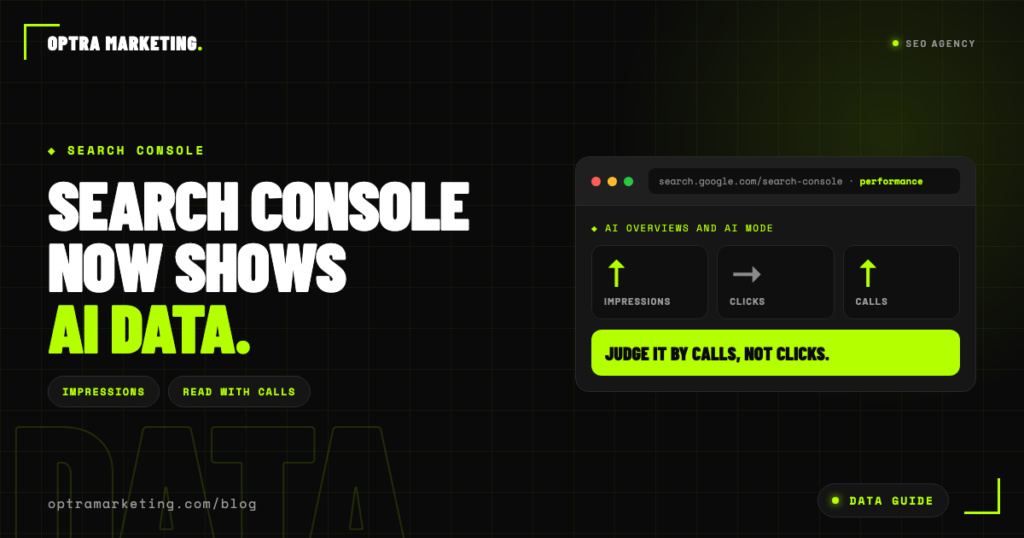
Search Console now reports impressions from AI Overviews and AI Mode, according to recent SEO news coverage. For a roofing company, this is useful but easy to misread. An impression inside an AI answer means your page was shown, not that anyone clicked, called or trusted you. The right way to read the new data is next to your calls and your profile numbers, not on its own.
This guide explains what the new data means, how to find it, and how to read it without overreacting to clicks.
What’s new
For years, Search Console lumped traffic from AI-style answers in with regular search results, so it was hard to see how often your pages appeared inside them. Recent reports say Google now counts impressions within AI Overviews, AI Mode and some generative Discover features. Google has also said that AI Overviews and AI Mode use the same underlying ranking systems as regular search.
Features like this roll out gradually, so you may not see it in every property yet. Check your own Search Console account for the details, since the screens can change.
Where to look
Open the Performance report for your site and look for any new AI-related views, filters or notes. If you don’t see them, they may not have reached your property. Check again over the next few weeks, and read Google’s Search Console help pages for the current steps. We don’t recommend relying on a step-by-step guide that’s more than a few weeks old, because the interface is still changing.
What an AI impression means
An impression means your page, or a link to it, was shown to someone. That’s all. It doesn’t tell you:
- That they read it: The answer may have satisfied them without a click.
- That they trusted you: Being listed isn’t the same as being chosen.
- That they called: Calls still come through your profile, your site and your phone number.
So rising impressions is a good sign of visibility, but it isn’t a result on its own.
How to read the numbers together
| What you see | What it may mean | What to check |
|---|---|---|
| Impressions up, clicks flat | You’re showing in AI answers that satisfy people without a visit | Whether calls and profile actions also held steady |
| Impressions and clicks both up | Your pages are earning visibility and visits | Which pages gained, and why |
| Impressions down, clicks down | You lost visibility, possibly after an update | Rankings, competitors and technical issues |
| Impressions flat, clicks down | Searchers are clicking other results or getting answers elsewhere | Your titles, descriptions and the new results above you |
Why clicks can fall even when you’re doing well
AI answers can satisfy a question without a click. That’s why clicks alone are a weaker measure than they used to be. A homeowner might read a summary, see your company mentioned, and call you directly. In that case you got the lead, but Search Console shows no click. This is why we keep saying the numbers that matter are calls, booked estimates and jobs won.
What to track alongside it
- Phone calls from Google: Use call tracking so you can see whether calls hold up as clicks change.
- Profile actions: Calls, direction requests and website clicks from your Google Business Profile.
- Branded searches: People searching your company name after seeing you mentioned.
- Estimates booked: The real outcome of all of this.
- Which pages show up in AI answers: That tells you what Google considers quotable.
A simple monthly routine
- Export your Search Console performance for the last month and the month before.
- Note total impressions and clicks, and the figures for AI results if your account shows them.
- List the pages with the biggest change in either direction.
- Compare against your call and profile numbers for the same period.
- Write one sentence on what changed and one on what you’ll do about it.
Keep it to a page. The goal is a clear story, not a pile of charts.
How to use the data to improve
- Find the pages that show up in AI answers: These are the pages Google finds clear and useful. Study what they have in common.
- Strengthen pages that almost show up: Add a direct answer near the top, plain headings and specific local detail.
- Improve titles and descriptions: If impressions are high and clicks are low, a clearer title can help.
- Keep your information consistent: The same business details across your site, profile and listings make you easier to cite.
What not to do
- Don’t chase impressions: They’re a visibility signal, not a goal.
- Don’t compare to last year without caution: The data definitions have changed, so older periods may not match.
- Don’t report only clicks: You’d miss leads that come from seeing your name.
- Don’t change your whole strategy over one month: Look for trends across at least a few months, and adjust for season.
A roofing example
Say your “roof repair” page starts appearing in AI answers for storm damage questions. Impressions climb, but clicks stay flat. Meanwhile your profile shows more calls and more branded searches. That’s a good outcome: people saw your name, trusted it enough to call, and never needed to click through. If you only watched clicks, you’d think the page was failing. The full picture says it’s working.
Questions to ask when the numbers look odd
- Did something else change: A new profile photo, a new page or a storm can move numbers on its own.
- Is the date range fair: Compare equal periods, and remember roofing is seasonal.
- Are you looking at the right pages: Filter by service and area pages first, not the whole site.
- Do calls agree with the story: If calls are steady, lower clicks may not be a problem.
Who should look at this data
You should see it, even if an agency handles your SEO. The report should explain in plain words what changed and why it matters for calls. If a report only lists impressions and clicks without tying them to leads, ask for the missing half. Good reporting connects visibility to phone calls and booked estimates.
The bottom line
The new Search Console data is a useful addition, but it only makes sense next to your real results. Roofers in busy markets like Houston already see how much search behavior changes around storms and seasons, so patience matters here too. Use the AI impressions to learn which pages Google finds quotable, then judge the work by calls and jobs.
To set up the numbers that matter, read how to measure roofing SEO success. If you’re worried about what AI answers do to your traffic, see will AI overviews hurt your local business rankings. And for why fewer clicks can still mean more business, here’s why zero-click searches can help your local business. We cover how all of this fits together in our local SEO for roofing work.
Want help reading your own numbers? Book a free roofing SEO audit with Optra Marketing today. No commitment required.