
Google Business Profile Suspended? How to Get Reinstated
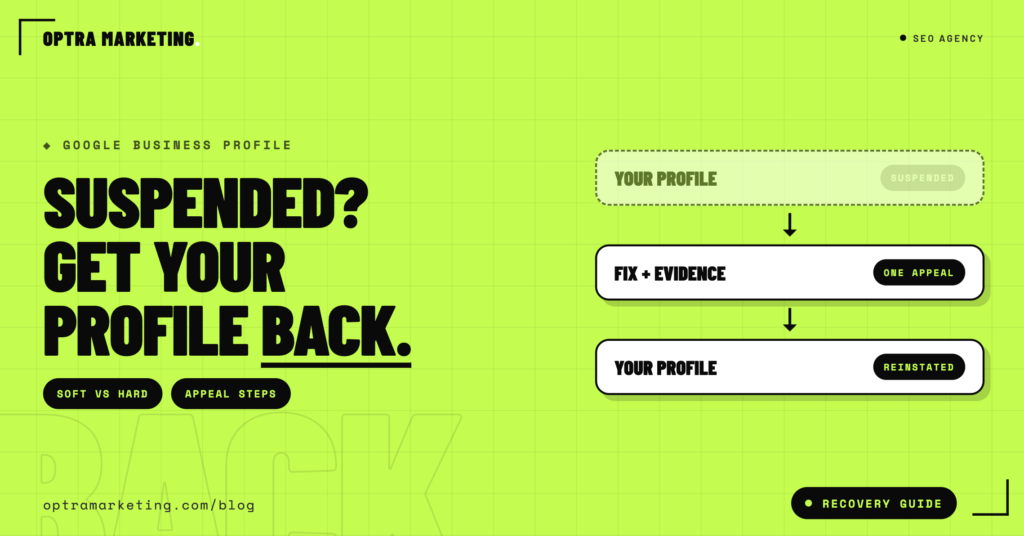
Having your Google Business Profile suspended can cut off your best source of calls overnight. One morning the listing is working; by the afternoon there’s an email about a guideline violation and a profile you can’t edit, or can’t find at all.
The good news is that most suspensions can be reversed. Businesses that achieve Google Business Profile reinstatement quickly tend to do three things well: they work out what triggered the suspension, fix it before they appeal, and submit one clear, documented request. Businesses that stay stuck usually do the opposite, often by opening a new listing in a panic.
Soft or Hard: Which Type of GBP Suspension Do You Have?
Google applies two very different kinds of suspension, and knowing which one you’re facing tells you how urgent the situation is.
Soft Suspension
Your listing stays visible on Google and Maps, but you lose the ability to manage it. You can’t edit details, reply to reviews or publish updates. This usually means Google has doubts about who should control the profile, not about the business itself.
Hard Suspension
The listing vanishes from public view along with its reviews and map pin. Google believes the listing itself breaks its rules, and every day it lasts costs you calls. If your business disappeared from Google Maps overnight and the profile dashboard shows a suspension notice, this is the type you’re dealing with.
Why Was My Google Business Profile Suspended?
Google rarely names the exact reason, but most cases trace back to a short list of triggers.
Extra Words in the Business Name
Adding services or cities, as in “Rivera Roofing – Roof Repair Phoenix,” is the most common trigger we see. The name should match your signage and registration exactly. If you want keyword relevance, there are safer places to add keywords to your GBP than the name field, including services, descriptions and posts.
An Address Google Won’t Accept
Virtual offices, PO boxes, mailbox stores and coworking desks without staff often lead to suspension. If you travel to customers, set the profile up as a service-area business with the address hidden. You can still rank a service business without showing your address, and you remove the risk entirely.
A Second Listing for the Same Business
Duplicates created to reach another town, or to replace a profile you lost access to, rarely end well. Duplicate listings split your rankings and frequently pull both profiles down with them.
Frequent Changes to Core Details
Repeatedly editing the name, address, phone number or primary category looks suspicious, especially when several people or tools have access to the profile.
Unnatural Review Patterns
A sudden spike in reviews, reviews from staff or incentivized reviews can prompt a closer look at the whole profile, not just the reviews themselves.
A High-Risk Category
Locksmiths, garage door companies and some other home services face stricter checks because spam has been common in those categories. Legitimate businesses in these trades need to be especially careful with every detail.
Four Mistakes That Make a Suspension Worse
- Opening a new profile. Google usually links it to the suspended one, and it starts with no reviews.
- Appealing again and again. Repeat submissions don’t speed anything up.
- Editing while under review. Every change can restart or complicate the assessment.
- Deleting the suspended listing. That removes your reviews and history permanently.
The Google Business Profile Reinstatement Process
Step 1: Correct the Likely Violation
Compare the profile against Google’s guidelines with fresh eyes. Check that the name matches your signage, the address is real and staffed (or hidden), the category is accurate, the phone number and website belong to this business, and no duplicate exists.
Step 2: Collect Matching Evidence
Google may ask you to prove the business is real and operates where you say. Prepare a business license or registration, a utility bill or lease for the address, photos of permanent signage, photos of branded vehicles or equipment, and an insurance certificate. Every document should show the same name and address as the profile.
Step 3: Submit One Appeal
Sign in with the account that owns the profile, open it in Business Profile Manager and follow the appeal prompt. Keep the explanation short and factual. If a former agency or employee controls the account, you may need to transfer Google Business Profile ownership or add a manager to the profile first. Google support will usually ask for details such as your Business Profile ID, so have it ready.
Step 4: Wait Without Editing
Decisions can take a few days or several weeks. Track the status where you submitted it, and leave the profile untouched until you hear back.
Keeping Your Profile Safe After Reinstatement
Once you’re back, treat the profile’s core details as fixed. Keep the name exact, limit management access to one or two trusted people, and change the address or primary category only when the business genuinely changes. Update hours, photos and services as often as you like.
Reviews should arrive steadily, not in bursts. Asking every satisfied customer at the end of a job is the most dependable way to get more Google reviews without raising flags, and far more effective than a one-off campaign.
Frequently Asked Questions
Can customers still find and call me while my Google Business Profile is suspended?
It depends on the type. With a soft suspension the listing usually stays visible, so calls can continue even though you can’t edit it. With a hard suspension the listing is hidden, so map calls stop until it’s reinstated. If your profile isn’t suspended at all but customers still can’t find it, the cause is usually one of the common reasons a Google Business Profile isn’t showing up, such as verification, categories or proximity.
How long does Google take to review an appeal?
Some are decided within a few days, while others take several weeks, especially when Google asks for more documents. Complete, consistent evidence submitted the first time is the most reliable way to avoid delays.
Will my reviews come back after reinstatement?
In most cases, yes. Reviews are tied to the original listing, which is the strongest reason never to delete it or replace it with a new one.
My legal business name includes a keyword. Is that a problem?
No, as long as it really is your name. Use it exactly as registered and keep the paperwork ready: a license or registration showing that name is the best evidence you can give Google.
What happens if Google rejects my appeal?
Read the decision closely, because it usually points to the guideline at issue. Fix that specific problem, gather stronger documents and try again. Volunteer Product Experts in the Google Business Profile Community forum can sometimes escalate genuine cases.
How Optra Marketing Restores and Protects Business Profiles
For most local businesses, the Business Profile is the first thing a customer sees, often before the website. If your Google Business Profile is suspended right now, we pinpoint the likely trigger, correct it, and assemble the documents for a single, well-supported appeal. If it’s still active, we audit it against Google’s guidelines and remove the risks, from keyword-stuffed names and ineligible addresses to forgotten duplicates, before they turn into a suspension.
Recovery is only the starting point. Our Google Business Profile optimization turns the listing into a lead source through accurate categories and service areas, regular updates, and a review system that builds momentum month after month. For one cleaning business, that work tripled Google Business calls within three months. Profile optimization is included in both of our plans, and if rankings haven’t measurably improved within 90 days, we keep working at no extra cost. Reach out for a free strategy call, and we’ll go through your profile with you line by line.
