
Why Is My Website Not Showing Up on Google?
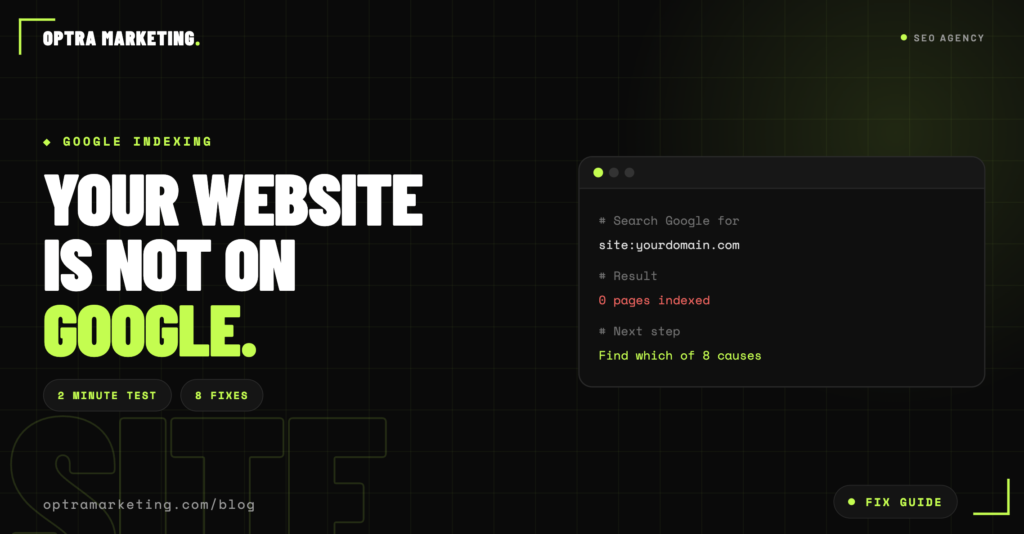
You search for your company and Google shows a directory listing, a competitor and your Facebook page. Your website, the one you paid for and keep updated, is nowhere to be seen.
This is more common than most owners realize, and it’s rarely a mystery once you know where to look. In most cases the site isn’t being outranked. Google either hasn’t found it, has been told not to show it, or has looked at it and decided not to store it. Each of those has a different fix, so the first job is working out which one you’re dealing with.
Start With a Two-Minute Test
Go to Google and type site:yourdomain.com, using your own domain. The results show the pages Google currently holds in its index, and what you see narrows the problem quickly.
- Nothing comes up. Google hasn’t indexed the site at all. Reasons 1 to 3 are the likely cause.
- Some pages appear, but key ones are missing. Specific pages are being excluded. Look at reasons 2, 4 and 5.
- Every page appears. Your site is indexed but losing the ranking battle. Reasons 6 to 8 apply.
If you have Google Search Console, the Pages report under Indexing gives the same picture with Google’s reasons attached. If you don’t have it, setting it up is the first fix on this list.
1. Google Hasn’t Found the Site Yet
Google discovers pages mostly by following links. A brand-new domain that nothing links to can sit unnoticed for weeks.
Verify your site in Google Search Console, submit your XML sitemap, and use the URL Inspection tool to request indexing for your homepage and main service pages. Then give Google a few paths in: link your website from your Google Business Profile, your chamber of commerce listing and any trade association you belong to.
2. The Site Is Telling Google Not to Index It
Many websites are hidden from search engines while they’re being built. The setting that does it is easy to forget at launch, and it keeps working long after the site goes live.
In WordPress, check Settings → Reading and make sure “Discourage search engines from indexing this site” is unticked. Website builders such as Webflow, Wix and Squarespace have similar switches in each page’s SEO settings. To check a single page, right-click it, choose “View page source” and search for the word noindex. If it’s there, Google has been asked to leave that page out of its results.
3. Robots.txt Is Blocking Crawlers
Your robots.txt file lives at yourdomain.com/robots.txt and tells search engines which areas they may crawl. If it contains Disallow: / under User-agent: *, every crawler is shut out of the whole site. This often happens when a staging site’s settings are copied to the live one.
Removing that line restores access. For most small business websites, robots.txt only needs to allow crawling and point to the sitemap.
4. Google Indexed a Different Version of the Page
When the same content loads at several addresses, Google picks one as the main version and ignores the rest. Typical culprits include www and non-www, http and https, trailing slashes, and two folder names for the same page, such as /service/ and /services/.
If Google picks a version your menu doesn’t link to, or one that’s blocked from indexing, the page you think you have effectively doesn’t exist in search. Search Console flags this as “Duplicate, Google chose different canonical than user.” The cure is one address per page: redirect the extra versions with 301 redirects, point each page’s canonical tag at itself, and update internal links. Near-identical city pages cause the same problem, so each location page needs content of its own.
5. Google Looked and Decided the Page Wasn’t Worth Storing
Search Console calls this “Crawled – currently not indexed.” Google read the page and passed on it, usually because it added little that other pages don’t. Two-paragraph service pages and city pages that only swap the town name are the usual examples.
Pages like these need real substance: what the job involves, what affects the price, how long it takes, which areas you cover, photos of completed work and answers to common questions. A good content strategy builds that depth across every service and location page, not just one or two.
6. The Site Is Indexed but Losing on Relevance and Authority
If your pages appear in a site: search but not for “electrician near me,” indexing isn’t the problem anymore. Ranking is, and it comes down to three levers.
The first is relevance. A page titled “Our Services” will struggle against one titled “Water Heater Repair in Tucson.” The second is authority: the number and quality of other sites linking to yours. The third is local signals, meaning your Google Business Profile, reviews and local citations. Effective local SEO works on all three together, because improving one while ignoring the others rarely moves the map results.
7. The Mobile Experience Is Dragging It Down
Google evaluates the mobile version of your site first. A page that loads slowly on a phone, shifts around as it loads or hides content behind tabs gives Google reasons to prefer someone else.
Run your main pages through Google’s PageSpeed Insights and focus on the mobile results. Oversized images, unused plugins and budget hosting are the most common causes, and a slow website costs you customers as well as rankings.
8. A Manual Action Is in Place
This one is rare, but it’s worth ruling out. A manual action is a penalty applied by a reviewer at Google, usually for paid or spammy links or deceptive content. It’s often inherited from an old link-building campaign the current owner knew nothing about.
In Search Console, open Security & Manual Actions, then Manual actions. If it says no issues were detected, you can move on. If there is an action, Google explains the problem; clean it up and submit a reconsideration request.
When It’s the Map Listing, Not the Website
Your website and your Google Business Profile are ranked separately. Plenty of businesses have a well-indexed site and no map visibility, or the reverse. When the site is fine but your Google Business Profile isn’t showing up, the cause usually lies in the profile itself, such as verification, categories or proximity. A listing that disappeared from Google Maps overnight more often points to a suspension or a duplicate.
Frequently Asked Questions
Why does my website show up when I search, but my customers say they can’t find it?
Google personalizes results by location and search history, so your results aren’t theirs. Searching from your office often puts you near the top for searches a customer across town never sees. The Performance report in Search Console shows the queries you actually appear for and your average position.
How long after launching a new website will it appear on Google?
Indexing usually takes a few days to a few weeks, and it’s faster with a submitted sitemap and a few links pointing in. Ranking for competitive service searches takes longer, and local SEO results typically build over several months.
My site disappeared after a redesign. What should I check first?
Start with three things: whether old URLs redirect to the new ones, whether a noindex setting carried over from the development site, and whether robots.txt was copied from staging. Those three account for most post-launch drops.
Will running Google Ads help my website show up in the regular results?
No. Paid and organic results are separate systems, and ad spend has no effect on organic indexing or rankings. Ads also stop working the day you stop paying, which is why local SEO matters more than ads over the long term.
Can I fix this myself, or do I need help?
A robots.txt block or a forgotten noindex setting is a five-minute fix once you find it. Duplicate URLs, redirect problems and thin pages take more work and some technical comfort. A proper SEO audit tells you which category you’re in before you spend anything.
Why Choose Optra Marketing
Most businesses that come to us with this problem have already been told the answer is a new website. It rarely is. We start with a diagnosis: we crawl every page, compare what Google has indexed against what you expect it to show, and trace exactly where the gap is. Then we fix it inside the site you already have, whether that’s WordPress, Webflow or another platform.
From there the work shifts to growth: service pages built around how customers search, a Google Business Profile that earns map visibility, and reporting measured in calls rather than impressions. It’s the approach that took one HVAC company from about 10 calls a month to more than 80 in four months. You work directly with the people doing the work, plans start at $699 a month, and there’s no long-term contract. Book a free strategy call and we’ll show you where your site stands.
