
Duplicate Content SEO: How /service/ and /services/ Split Your Rankings
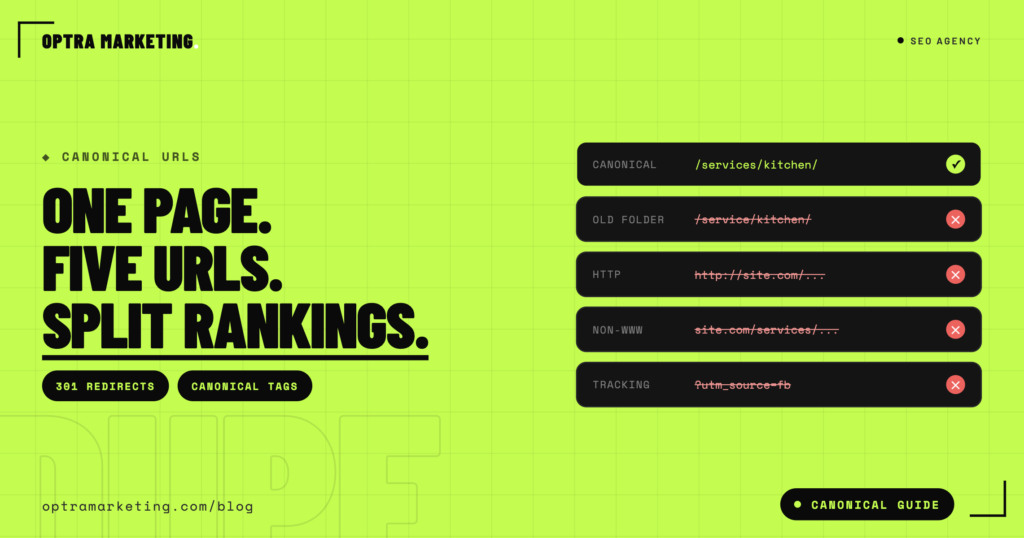
Most business owners picture duplicate content as copied text: a competitor lifting your service descriptions, or the same paragraph pasted across pages. On small business websites, the more damaging duplicate content SEO problem is quieter. It’s a single page that loads at two, three or four different addresses.
To a visitor, /services/kitchen-remodel and /service/kitchen-remodel look like the same page. To Google, they’re separate URLs competing to be the one that ranks. When that competition isn’t settled clearly, your rankings pay for it.
Google Doesn’t Penalize Duplicate URLs. It Chooses Between Them.
Google has said for years that duplicate content isn’t a penalty in itself. What happens instead is filtering. When several URLs show the same content, Google groups them and picks one as the canonical, the version it will index and show. The others are set aside.
That sounds harmless until you look at what gets divided along the way. Links from other websites may point to one version, your navigation to another, and your sitemap to a third. Each signal lands on a different URL, so no single version gets the full benefit. And the version Google picks isn’t always the one you’d choose. If it lands on a URL that’s blocked from indexing, or one your menu never links to, the page can effectively disappear.
Where Duplicate URLs Come From
Protocol and Host Variations
If http://, https://, www and non-www versions all load without redirecting, every page on your site exists four times.
Trailing Slashes and Capital Letters
/roof-repair and /roof-repair/ can be treated as separate URLs, and so can /Roof-Repair.
Folder Changes After a Rebuild
This is the one we see most on service business sites. A redesign introduces a new structure, say /service/ instead of /services/, but the old pages are never retired. Both sets stay live, the menu links to one, old backlinks point to the other, and authority is split down the middle.
Tracking Parameters
Links shared with ?utm_source= or ?fbclid= tags create new URLs for the same page.
CMS-Generated Pages
Tag archives, category pages, author pages and image attachment pages often repeat content that already exists elsewhere.
Near-Identical Location Pages
Pages that swap the city name and keep everything else are duplicates in all but name, which is why each city landing page needs genuinely local content to rank.
How to Find Duplicate URLs on Your Site
Start with Google Search Console. In the Pages report, two reasons point straight at canonical URL issues: “Duplicate without user-selected canonical” and “Duplicate, Google chose different canonical than user.” The second one matters most, because it means Google has overruled your preferred version.
Next, test your main pages by hand. Type each one with and without www, with http instead of https, and with and without a trailing slash. Every variation should redirect to one final address. If any of them loads on its own, you’ve found a duplicate.
For a fuller picture, run a crawler such as Screaming Frog. It lists pages with identical titles and content, and shows which canonical tag each page declares.
Consolidating Duplicates to One Version
Pick the Canonical URL
Choose one canonical URL for each page. Usually it’s the cleanest, most logical version, the one you’d want customers to see.
Redirect Every Other Version
Send each duplicate to the canonical URL with a 301 redirect. This moves visitors and search engines to the right place and passes along most of the value the old URL had built up. When an entire folder has been duplicated, map each old URL to its exact new counterpart rather than sending everything to the homepage.
Add Self-Referencing Canonical Tags
Give each final page a canonical tag that points to itself. Treat it as a backup signal, though: Google sees a canonical tag as a strong hint, not a command, so redirects do the heavy lifting.
Update Internal Links and the Sitemap
Your navigation, footer, buttons and in-text links should all point straight to the canonical version, never to a URL that redirects. Clean up the sitemap so it lists only canonical, indexable URLs.
For tracking parameters, a correct canonical tag is usually enough. For thin archive pages, a noindex tag or removing them altogether is often the simplest answer.
What Changes After the Fix
Once duplicates are consolidated, Google stops spreading your signals across several addresses. Backlinks, internal links and relevance all point to one page, and that page has a far better chance of ranking. On sites with a strong backlink profile that’s been leaking into dead or blocked URLs, the effect can be noticeable within weeks. Much like duplicate Google Business listings that split your rankings, duplicate URLs rarely announce themselves, but they quietly cap how well a business can perform.
Frequently Asked Questions
Does Google penalize my site for duplicate content?
Not in the sense of a manual penalty. Google filters duplicates and picks one version to show. In duplicate content SEO, the real harm comes from split signals and from Google choosing a version you didn’t intend.
Should I use a canonical tag or a 301 redirect?
Use a 301 redirect when the duplicate doesn’t need to exist, such as an old folder structure or a non-https version. Use a canonical tag when both URLs must stay live, such as a page with tracking parameters.
Is it a problem if several service pages share the same paragraphs?
A shared paragraph about your warranty or licensing is fine. A problem starts when most of a page’s content is repeated elsewhere, leaving little to distinguish it.
What if another website copies my content?
Google is usually good at recognizing the original source, especially if your page was indexed first. If a copy outranks you, you can file a DMCA request with Google.
How quickly will rankings improve after I fix duplicate URLs?
It depends on how often Google recrawls your site. Important pages are typically reprocessed within a few weeks, and the consolidated signals start to show after that.
Untangling Split Pages Without Losing What They’ve Earned
Duplicate URLs tend to be left behind by a rebuild, a platform migration or a fix that stopped halfway, and sorting them out calls for precise redirect mapping rather than guesswork. Send old pages to the wrong place and you throw away the backlinks they collected. Our team crawls every URL on your site, pairs each duplicate with its correct destination, and confirms that your navigation, sitemap and inbound links all lead to pages capable of ranking.
The Growth plan pairs advanced technical SEO with competitor tracking, so you can watch the moment your consolidated pages begin pulling ahead of the businesses currently outranking you. Start with a free strategy call, and we’ll show you whether any of your pages are being split across more than one address.
