
Crawled – Currently Not Indexed: What It Means and How to Fix It
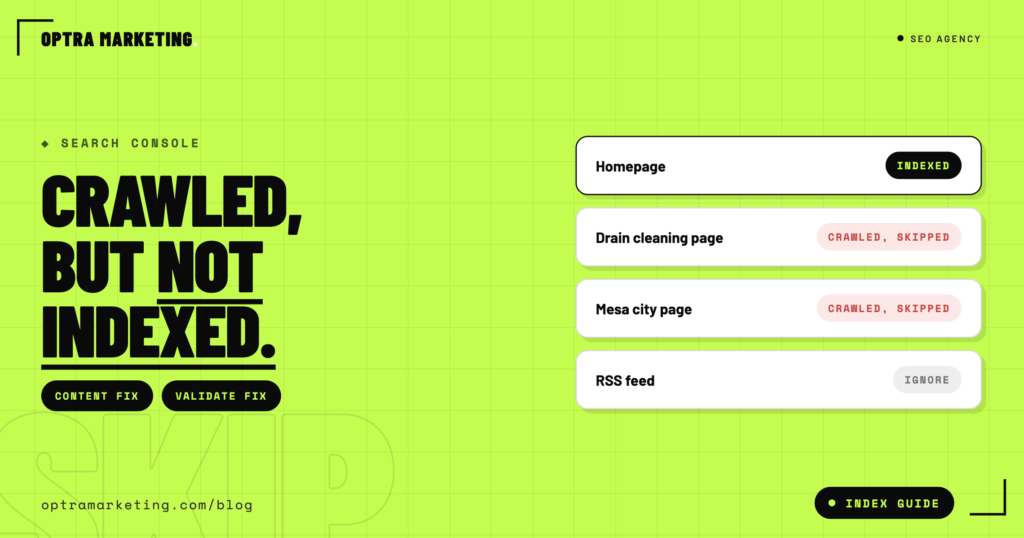
You open Google Search Console and find a list of pages labelled “Crawled – currently not indexed.” Google visited them, read them and decided not to add them to its results.
Unlike a blocked page or a server error, this isn’t a technical fault. It’s a judgment. Google has looked at the page and concluded, at least for now, that it doesn’t add enough to be worth storing. That can be frustrating, but it’s also useful information, because a page that’s crawled but not indexed points directly at content that needs to be better. It’s one of the most common reasons a website isn’t showing up on Google for the searches that matter.
Not Every Crawled, Not Indexed URL Matters
Before you fix anything, sort the list. Search Console reports every URL Google has crawled and skipped, and many of them don’t deserve attention. These commonly appear and can usually be ignored:
- RSS and comment feeds;
- URLs with tracking or filter parameters;
- paginated archive pages;
- media attachment pages and old test pages.
The pages that matter are the ones meant to bring in business: your homepage, service pages, location pages and your best articles. If any of those are on the list, they’re the priority.
Why Google Passes on a Page
It Doesn’t Say Enough
A service page with two short paragraphs, a stock photo and a contact form gives Google little reason to choose it over a competitor’s detailed page.
It Says the Same as Another Page
Location pages that change only the city name are the classic example. Google indexes one or two and leaves the rest.
Nothing Points to It
A page that’s only reachable through the sitemap, with no links from the rest of the site, looks unimportant to Google.
The Site as a Whole Is Thin
When a large share of a site is low-value, Google becomes more selective about everything on it.
It Looks Like an Error Page
Nearly empty pages, or pages that say “no results found,” can be treated as soft 404s.
How to Fix “Crawled – Currently Not Indexed” Pages
Make the Page More Useful Than the Alternatives
The most effective fix is the most obvious one. For a local service page, that means answering what a customer is actually trying to decide. Explain what the service includes, how the process works, what affects the price, how long it usually takes and which areas you cover. Add photos of real projects, reviews from customers who used that service, and a short FAQ.
Give Location Pages Real Differences
For location pages, the difference has to be real, not cosmetic. Mention neighborhoods you work in, local building rules or weather conditions that affect the work, and projects completed nearby. That’s what separates a genuine location page from the duplicate city content that Google ignores.
Strengthen Internal Links
Internal links matter almost as much as the content. Link the page from your homepage or services hub, from related services and from relevant blog posts, using descriptive anchor text such as “emergency AC repair” rather than “click here.”
Merge Pages That Compete
Where two pages compete for the same topic, merge them. One strong page outperforms two weak ones, and a 301 redirect from the old URL keeps any value it had.
Asking Google to Look Again
Once the page is improved, use the URL Inspection tool in Search Console to request indexing. For a group of pages with the same issue, open it in the Pages report and click “Validate fix.” Google will recrawl the affected URLs over the following days or weeks.
Requesting indexing for an unchanged page won’t help. Google has already made its decision about that version, so improve the page first.
Frequently Asked Questions
Why are my blog posts crawled but not indexed?
Usually because they cover topics that are already well served elsewhere, without adding anything new. Posts written to fill a calendar are especially prone to it, and AI-written blogs that repeat what’s already published can drag down local rankings as well.
Should I delete pages that won’t get indexed?
Not automatically. If a page has no business value, removing it or merging it into a stronger page is sensible. If it targets a service you want to sell, improve it instead.
Does clicking “Validate fix” guarantee my pages will be indexed?
No. It asks Google to recheck the pages, but the decision still rests on whether they’re now worth indexing. If validation fails, the content still needs work.
Can a lot of crawled, not indexed pages hurt my whole site?
They can contribute to it. A site where most pages are thin or duplicate sends weaker quality signals overall, which can make Google more cautious about indexing new pages too.
How is this different from “Discovered – currently not indexed”?
With “Crawled,” Google has read the page and declined it, so the fix is usually content quality. With “Discovered,” Google knows the URL exists but hasn’t visited yet, so the fix is usually internal links, site structure or server performance, and a slow website is often part of the problem.
Rebuilding the Pages Google Keeps Skipping
When Google isn’t indexing pages, the fix is rarely more content. It’s better content on the pages you already have. Thin and overlapping pages are one of the most common reasons local businesses stall, and correcting them is steady work rather than a one-time cleanup. That’s why both Optra Marketing plans include a monthly content allowance, 10 posts on Starter and 15 on Growth, which can go toward new pages, refreshed pages or optimized ones. We can rework the pages stuck in “Crawled – currently not indexed” instead of piling new ones on top.
Each rewrite follows a content strategy shaped by what your customers actually search for and what competing pages already cover, so every page gives Google a clear reason to include it. Bring your Search Console Pages report to a free strategy call, and we’ll sort out which skipped pages are worth saving first.
