
Is Your Slow Website Costing You Customers and Rankings?
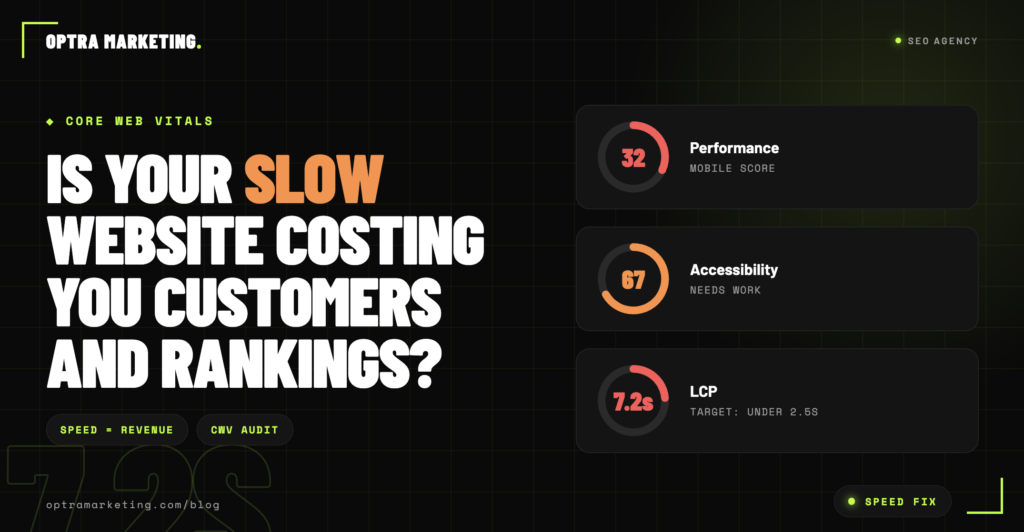
Your website loads in 5 seconds. 6 seconds. Maybe 8 on a bad day.
You have never worried about it. It looks fine. It loads eventually. The design is nice. Your business cards are printed with the URL. Everything technically works.
Meanwhile, every day, your slow website is costing you customers and rankings in ways you cannot see and your agency probably has not measured. Site speed is one of the most consequential and most underrated factors in local business SEO. Slow sites lose rankings, lose customers, and lose revenue silently, month after month, while everyone assumes the problem is somewhere else.
Here is exactly how a slow website is costing your business and how to figure out whether yours is the problem.
What Counts as “Slow” in 2026
Google’s Core Web Vitals define the technical thresholds that separate acceptable page speed from unacceptable. In 2026 the meaningful numbers are:
Largest Contentful Paint (LCP): How long the largest visible element takes to load. Under 2.5 seconds is good. Between 2.5 and 4 seconds is “needs improvement.” Above 4 seconds is failing.
First Contentful Paint (FCP): How long before something visible appears on screen. Under 1.8 seconds is good.
Cumulative Layout Shift (CLS): How much the page jumps around as it loads. Under 0.1 is good.
Total Blocking Time (TBT): How long the browser is unresponsive while loading. Under 200 milliseconds is good.
Most local business websites we audit fail at least two of these metrics. Many fail all four. Sites loading in 6 to 8 seconds on mobile are common and their owners have almost never been told this is a problem.
To check your own site, run PageSpeed Insights (pagespeed.web.dev) with your homepage URL. If your mobile score is below 60, you have a meaningful problem. If it is below 40, you have a critical problem.
How a Slow Website Costs You Customers Directly
Every second of load time above 3 seconds correlates with a measurable percentage of visitors abandoning the page. The published research consistently shows the same pattern.
A page that loads in 1 second retains 100 percent of impatient visitors. A page loading in 3 seconds loses about 32 percent. A page loading in 5 seconds loses about 90 percent. Every additional second is a compounding cost.
If your site loads in 6 seconds and 100 people search for you every day, roughly 60 to 70 of them are leaving before they see anything. They are not deciding your business is a bad fit. They are not comparing you to competitors. They are simply closing the tab because it did not load fast enough.
Those 60 to 70 lost visitors per day compound over months. A slow website costing you customers over a full year adds up to thousands of qualified visits that never became calls, form fills, or bookings. You never see this happen. There is no notification that says “27 visitors abandoned your homepage today because it was too slow.” The revenue simply does not arrive.
How a Slow Website Costs You Rankings
Site speed became a direct Google ranking factor years ago. In 2026 it has moved beyond ranking factor to ranking filter for competitive local searches.
Here is what that distinction means. A ranking factor is one of dozens of signals Google weighs when deciding where to place your business. A ranking filter is a threshold you have to pass before the other signals matter.
In competitive local markets, the businesses in the top 3 of the local pack all pass Core Web Vitals thresholds. Sites that fail Core Web Vitals rarely make the top 3 regardless of how strong their other signals are. You can have great reviews, a perfect Google Business Profile, and comprehensive location pages, and still be stuck below the businesses that also have those things plus a fast site.
If your site is slow and you have been wondering why your SEO efforts are not producing top 3 local pack rankings despite doing everything else right, this is often the answer. Nothing else will move you into the top 3 until the site speed problem is fixed.
The Compounding Cost You Never See
The slow website cost is not just direct visitor abandonment and ranking suppression. There is a compounding cost that shows up over time.
Lost repeat visits
A visitor who abandoned once because your site was slow is less likely to return. Every abandoned visit is potentially permanent.
Lost referrals
Customers who never converted cannot refer friends. Every 60 abandoned visitors per day represent friends, family, and neighbors who will never be told about your business by someone who never called you.
Lost ad performance
If you run paid search or paid social alongside SEO, every ad click that goes to your slow website converts at a worse rate. You are paying full price for clicks that abandon before they see your value proposition.
Lost Google Business Profile visibility
Your website performance feeds into your Google Business Profile ranking signals. A slow website drags down the entire local SEO effort in ways most agencies never think to measure.
The compounding cost of a slow website over a year is almost always larger than the cost of fixing it.
Why Slow Websites Stay Slow
Most local business websites are slow for the same three reasons.
Reason 1: Unoptimized images
Photos taken with modern phones are 4 to 8 megabytes each. Uploaded directly to a website without compression, they can add multiple seconds to load times. Most local business sites have 20 to 40 images that were never compressed.
Reason 2: Bloated themes and plugins
WordPress sites in particular often accumulate plugins over years. Each one adds JavaScript, CSS, and database queries. A 5-plugin site loads fast. A 25-plugin site is guaranteed to be slow regardless of hosting.
Reason 3: Cheap hosting
$3 per month shared hosting cannot deliver fast page loads to visitors under normal traffic conditions. Hosting is one place where cutting cost creates compounding downstream cost through lost visitors and lost rankings.
Fixing all three typically improves mobile load speed by 3 to 5 seconds and can move a site from failing to passing Core Web Vitals without changing the design at all.
How Optra Marketing Fixes Slow Websites Without Requiring a Redesign
Most businesses assume fixing a slow website requires a full redesign. It usually does not. When we take on a client with site speed issues, the fix is typically technical rather than visual.
- Full Core Web Vitals audit against Google’s current thresholds
- Image compression and modern format conversion (WebP, AVIF)
- Lazy loading implementation for images and video
- Plugin audit and removal of anything not actively contributing
- CSS and JavaScript minification and deferral
- Caching configuration at the server and page level
- CDN setup where hosting quality is the bottleneck
- Hosting migration recommendations if the current provider is the primary constraint
- Ongoing performance monitoring so speed does not silently regress
- Written 90 day guarantee on measurable ranking improvement after speed fixes
Most sites can be moved from failing Core Web Vitals to passing without a redesign in 2 to 6 weeks. Rankings usually improve within 60 to 90 days of the speed fix landing, without any other SEO changes.
For a deeper look at how site speed connects to broader SEO performance, our guide on why your local SEO is not working and how to fix it covers the diagnostic process. Our complete local SEO checklist for small businesses includes the ongoing performance maintenance that keeps sites fast long term.
FAQs
How do I know if my website is actually slow?
Run PageSpeed Insights (pagespeed.web.dev) with your homepage URL. Look at the mobile score. Below 60 means meaningful problems. Below 40 means critical problems. The tool also identifies specific issues to fix, which is a useful starting point regardless of whether you fix them yourself or hire someone.
How much does a slow website cost my business?
For a local business generating 100 organic visits per day, a website loading at 6 seconds instead of 2 seconds costs approximately 50 to 60 visits per day. Over a year that is roughly 20,000 lost visits. At even a 2 percent conversion rate that is 400 lost leads annually. The real cost varies by business but is always larger than the cost of fixing the speed problem.
Can I fix my slow website myself?
Some of the fixes (image compression, plugin cleanup) are DIY-friendly. Others (caching, CDN, hosting migration) require technical skill. If your PageSpeed score is above 40 and you are comfortable with basic web tools, DIY fixes can move the score significantly. Below 40 usually needs professional help.
Will fixing site speed actually improve my rankings?
Yes, particularly in competitive local markets. Most sites we speed-fix see ranking improvements within 60 to 90 days as Core Web Vitals scores update in Google’s systems. Speed fixes have particularly strong impact on local pack rankings.
How long does it take to fix a slow website?
Basic fixes (image compression, plugin cleanup) can be done in a few hours. Deeper fixes (caching, hosting migration, code optimization) typically take 2 to 6 weeks. Full redesigns are rarely necessary unless the site’s underlying architecture is fundamentally broken.
The Bottom Line
A slow website is costing you customers and rankings every day whether you can see it or not. The lost visitors, lost conversions, and lost local pack visibility compound over months into significant lost revenue. Fixing the speed is usually cheaper, faster, and more impactful than most business owners expect.
Book a free audit and we will run a full site speed analysis, show you exactly what is costing you visitors, and give you a specific fix plan and timeline. Speed fixes are one of the fastest-ROI things we do.
