What Is Geotagging And Does It Help Roofing SEO?
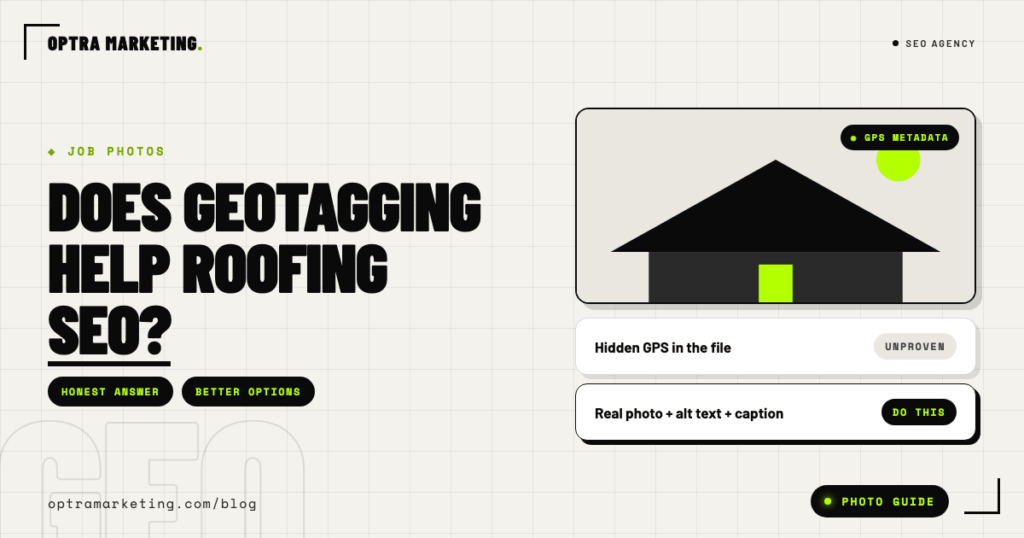
Geotagging means embedding GPS coordinates in a photo’s file data, and for roofing SEO it probably helps far less than most guides claim. Google hasn’t confirmed that location data inside an image file is a ranking factor, and many platforms strip that data on upload anyway. What does help is real job photos, placed on the right pages, with clear local context that Google can actually read.
This guide explains what geotagging is, what it can and can’t do, and how a roofing company should use job photos instead.
What geotagging is
Most phones record where a photo was taken and store it in the file as metadata, often called EXIF data. Geotagging is the practice of adding or editing that location data so a photo appears to come from a specific address or area. Some SEO tools and apps will write coordinates into a file for you, and the idea is that Google will read the coordinates and connect the image to your business location.
The theory is tidy. Whether it works in practice is a different question.
Does it actually help?
There’s no official confirmation that Google uses embedded photo coordinates to rank a business in local search. Google’s documentation for local ranking points to relevance, distance and prominence, and it doesn’t list image metadata. Some local SEOs have run tests and reported no measurable effect, while others report small gains, and those results are anecdotal and hard to separate from other changes.
There’s a practical issue too. When you upload a photo to a Google Business Profile, a social network or many website platforms, the file is often recompressed and the metadata removed. If the coordinates never reach the page, they can’t help.
Our view: geotagging is harmless, but it isn’t worth hours of your time. Don’t pay for a service that sells it as a ranking secret.
What to do instead with job photos
Real photos of real jobs are valuable. Homeowners trust them, they set you apart from stock images, and they give Google something unique to index. The value comes from how you use them, not from hidden coordinates.
- Take photos on every job: Before, during and after, including close-ups of problem areas and finished details.
- Use clear file names: Something like “metal-roof-install-minneapolis.jpg” says more than “IMG_4821.jpg.”
- Write helpful alt text: Describe what’s in the photo in plain words, including the roof type and city where it fits.
- Add visible captions: A short line under the photo about the job gives context that both people and search engines can read.
- Place photos on relevant pages: Put a tile repair photo on your tile repair page and the city page for where the job happened.
- Keep file sizes reasonable: Compress images so pages load quickly, especially on phones.
Where to publish job photos
- Your Google Business Profile: Upload recent job photos regularly. They help customers, and Google has said photos make a profile more engaging.
- Service pages: Show real work next to the explanation of each service.
- City and area pages: Use photos from jobs in that area, so the page is clearly local.
- Project posts: A short write-up of a notable job, with a few photos, makes strong local content.
- Social profiles: They won’t help rankings directly, but they build trust and drive branded searches.
How to describe a photo for search
Good alt text is short and honest. “Crew installing standing seam metal roof on a two-story home” works. “Roofing company Minneapolis best roofer cheap roof repair” does not, and keyword stuffing can look spammy. Write for someone who can’t see the image, then add the city only when it’s natural.
Captions work the same way. A line such as “Ice dam damage repaired after a winter leak” tells a visitor what they’re looking at and why it matters.
If you still want to geotag
It does no harm if you already have a tool that does it. Just keep expectations low and make sure the coordinates are accurate. Never tag a photo with a location where the job didn’t happen, and never use a fake address to appear closer to a search area. That’s the kind of manipulation that can get a profile flagged.
Also think about privacy. Exact coordinates on a customer’s home can reveal where someone lives. Many roofers prefer to remove location data from photos before posting them publicly, and that’s a reasonable choice.
A simple photo workflow for crews
- Have the crew lead take a few clear photos at each stage of the job.
- Upload them to a shared folder the same day.
- Pick the best three to five and rename the files with the service and city.
- Compress them before uploading to the website.
- Add alt text and a caption.
- Post one or two to your Google Business Profile.
- Ask the customer’s permission if the home or address is identifiable.
Common mistakes
- Using stock photos: Everyone has seen them, and they add no proof of your work.
- Uploading huge files: Slow pages hurt visitors and rankings.
- Burying photos on one gallery page: Photos work harder next to the service or city they relate to.
- Ignoring permission: Get consent before showing a customer’s home.
- Chasing tricks: Time spent editing metadata is time not spent on reviews, pages and your profile.
Common questions
- Should I geotag my Google Business Profile photos: You can, but the effect is unproven, and the file data may be removed on upload.
- Do photos help rankings at all: Real photos help customers decide, and a complete, active profile tends to perform better. They aren’t a guaranteed ranking boost.
- Is it safe to show customers’ homes: Ask permission and avoid showing house numbers or other identifying details.
- How many photos should I post: A few good ones per job beats dozens of near-duplicates.
How to check your photos are doing their job
- Look at the live page: Make sure the images load quickly and display correctly on a phone.
- Read the alt text: Each one should describe the photo in plain words.
- Check the profile gallery: Recent job photos should be easy to find.
- Search your own work: See whether your images appear in Google Images for your company name.
The bottom line
Skip the geotagging hype and spend the effort on photos that prove your work. Roofers in markets like Minneapolis have seasonal jobs, such as ice dam repairs, that make excellent local content when documented well. Photograph the work, label it clearly and put it where homeowners will see it.
To understand where photos fit among everything else Google weighs, read local SEO ranking factors. For the map side of the picture, here’s how to rank your business on Google Maps. And for what to put on your pages besides photos, see what content works best for roofing SEO. We build this into our local SEO for roofing work.
Want a second opinion on how your photos and pages are set up? Book a free roofing SEO audit with Optra Marketing today. No commitment required.