
Google Business Profile Verification: Methods and Fixes
Until your profile passes Google Business Profile verification, it can’t do much for you. An unverified profile may not show up in the map results at all, and you can’t manage reviews, post updates or edit key details with confidence. For a new service business, verification is the step that turns a listing into a lead source.
It’s also where many owners get stuck. Google has changed its methods several times, the options vary from business to business, and a rejected video often comes with little explanation. Here’s how verification works now and how to get through it.
Why Google Verifies Businesses
Verification exists to stop fake and duplicate listings, which have been a long-running problem in categories such as locksmiths, garage door repair and towing. Google wants evidence that a real business operates at the address or in the area you claim, and that the person managing the profile is connected to it.
That’s why the process feels stricter for some businesses than others. Industries with a history of spam, home-based businesses and profiles with recent changes tend to face more scrutiny.
Google Business Profile Verification Methods
You don’t choose the method. Google offers the options it considers appropriate for your profile, and you pick from those.
Phone or Text
A code sent to the business phone number on the profile. Quick and painless when it’s offered.
A code sent to an email address, often one on your website’s domain.
Video Recording
The most common method today. You record a short, continuous video showing your location, business and proof that you manage it, then upload it for review.
Live Video Call
A scheduled call with a Google support agent who asks you to show the same evidence in real time.
Postcard
A mailed code to your business address. Once standard, it’s now offered far less often.
Some businesses that have already verified their website in Google Search Console may also be offered instant verification.
How to Pass GBP Video Verification
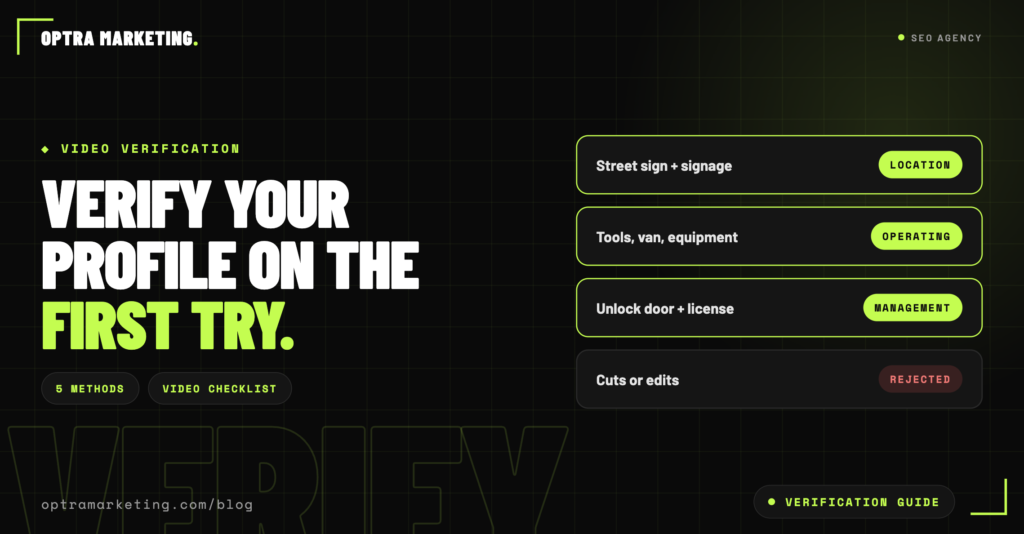
Most failed verifications are failed videos. Google is looking for three things, and your recording should show all of them in one continuous take, without cuts or edits.
Your Location
Start outside. Show the street sign, nearby businesses or landmarks, and the exterior of your building with any permanent signage. Google needs to match what it sees to the address or area on your profile.
Your Business in Operation
Show the tools, equipment, inventory or workspace you use. For a service-area business, that might be branded vehicles, a stocked van, specialist equipment or a workshop.
Proof of Management
Show something only an owner or employee could access: unlocking the front door, opening a staff-only area, logging into your point-of-sale system, or displaying business documents such as a license or utility bill in the business name.
Shoot in good light, move slowly and narrate if it helps. Keep the video short and focused, typically a minute or two.
Service-Area Businesses Working From Home
If you travel to customers and work from home, your address should be hidden on the profile. You still need to verify your Google Business Profile, and the video should still prove the business is real. Show your branded vehicle, equipment and tools, and business documents that match the profile. You don’t need to film the inside of your home beyond what demonstrates the business.
Getting the setup right matters for rankings too. Once the profile is configured properly, you can still rank on Google without displaying your home address.
When Google Business Profile Verification Fails
Check That Everything Matches
The business name, address, phone and website on the profile should match your signage, documents and website exactly. Mismatches are one of the most common reasons for rejection.
Fix What the Video Was Missing
If you didn’t show a street sign, signage or proof of management, record again with all three.
Stop Editing the Profile
Changes during review can reset or complicate the process. Repeated edits to core details are also one of the patterns that can get a Google Business Profile suspended, so leave it alone until you hear back.
Contact Support With Your Profile ID
If you’re stuck in a loop of failed attempts, Google’s Business Profile support can review your case. Find your Business Profile ID before you reach out, and have documents ready that prove the business.
If the profile was set up by a previous agency or an ex-employee, the problem may be access rather than verification. In that case you may need to transfer ownership of the profile before you can complete the process yourself.
Frequently Asked Questions
Why doesn’t Google offer me postcard verification?
Google has shifted most businesses to video-based methods, which give it better evidence that a business is real. Postcards are still offered in some cases, but you can’t request one if it isn’t listed among your options.
What should my video show if I don’t have a storefront?
Show the area you operate from, your branded vehicle or equipment, and proof that you run the business, such as tools, a business license or an invoice in the business name. The goal is to prove a real business exists, not to show your home.
How long does Google Business Profile verification take?
Phone, text and email codes are instant. Video submissions are often reviewed within a few business days, but reviews can take longer, especially for categories Google checks closely.
Can I edit my profile while verification is pending?
It’s best not to. Changes during a review can trigger additional checks or restart the process. Wait until you’re verified, then update hours, services and photos.
Will I need to verify again after changing my details?
Possibly. Significant changes, such as a new address, business name or primary category, can prompt Google to re-verify the profile. Minor updates like hours and photos usually don’t.
Getting Verified on the First Attempt
Most verification headaches start before the video is ever recorded. The wrong category, an ineligible address, a service area set up incorrectly, or details that don’t line up with your website and paperwork all give Google a reason to say no. Optra Marketing’s Starter plan includes complete profile setup and Google Business Profile optimization, so the foundations are checked and corrected before Google takes its first look.
Passing verification is where the profile’s real job begins. From there we fill out services, add fresh photos and posts, and build a steady review flow, the groundwork that helps you get more calls from Google Maps. If you’d rather not navigate the process alone, grab a free strategy call and we’ll guide you through each step.

2 Comments
Comments are closed.
[…] your website from your Google Business Profile, or set the profile up and complete Business Profile verification if you don’t have one […]
[…] you’re an established operation. They’re the same evidence Google looks for during Google Business Profile verification, so they do double […]