
Noindex Tag: How One Setting Hides Your Pages From Google
Some ranking problems take months of work to solve. This one can take minutes, once you know it’s there.
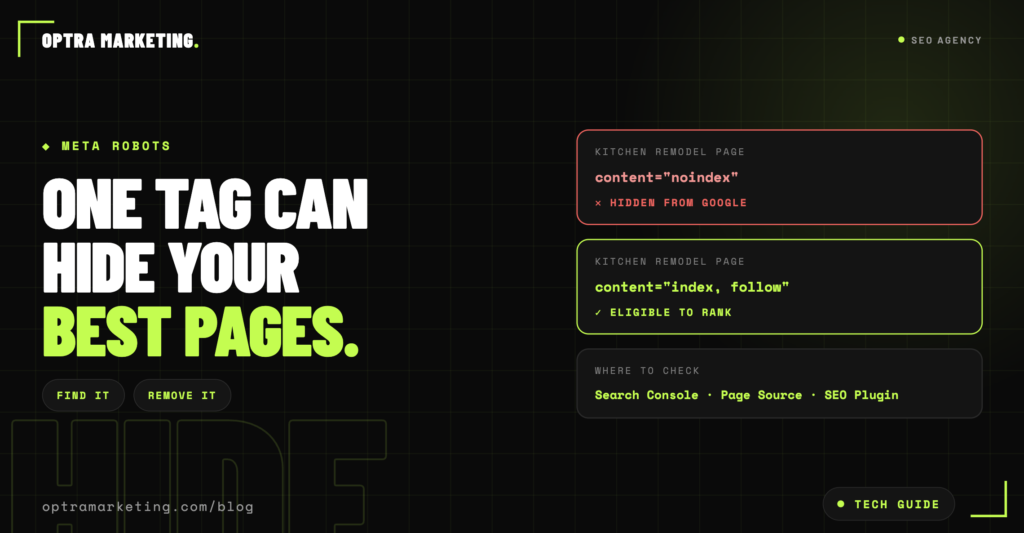
A noindex tag is a short instruction telling search engines not to include a page in their results. Used deliberately, it keeps clutter out of Google. Left on by accident, it removes your most valuable pages from search, and nothing on the page looks any different to you or your customers. It’s one of the first things to rule out when your website isn’t showing up on Google.
What a Noindex Tag Looks Like
Most noindex instructions sit in the page’s code as a meta robots noindex tag:
<meta name="robots" content="noindex">The same instruction can also be sent by the server as an X-Robots-Tag HTTP header, which doesn’t appear in the page source at all. Either way, the message to Google is identical: you may crawl this page, but don’t show it in search.
A Real Example: The Hidden Kitchen Page
We recently looked at the website of a design-build remodeling company. Its strongest services were kitchen remodels and whole-home renovations, and the kitchen page was excellent: detailed, well written and full of project photos. It was also carrying a noindex tag.
The navigation menu linked straight to that page, so visitors could reach it easily. Google could not show it for a single search. The cause was a site rebuild in which new versions of the service pages had been created and hidden until they were ready. Some were switched back on; the kitchen page wasn’t. The service the owner most wanted to grow was invisible in search for months.
How a Noindex Tag Ends Up Where It Shouldn’t
That story follows a familiar pattern. These are the causes we find most often.
Development Settings Left On at Launch
Sites are often hidden from search engines while they’re built, and the switch is forgotten when the site goes live.
Rebuilds and Redesigns
New pages are hidden until they’re ready, and not all of them are released, exactly as happened with the kitchen page above.
Attempts to Fix Duplicate Content
One copy of a page is hidden to avoid duplication, and then the menu ends up linking to the hidden copy.
Plugin and Theme Defaults
Some SEO plugins and templates apply noindex to certain page types automatically, and imports or updates can change those settings without warning.
How to Find Every Noindexed Page on Your Site
Checking one page is easy: view its source and search for noindex, or paste the URL into the URL Inspection tool in Google Search Console, which reports whether indexing is allowed.
Finding every affected page takes a broader look. In Search Console, open Indexing, then Pages, and look for the reason “Excluded by ‘noindex’ tag.” That list shows every page Google found with the instruction. A crawler such as Screaming Frog will also flag noindexed pages, including those sent through HTTP headers. This is also one of the checks that shows up in what an SEO audit reveals about your website.
Pay closest attention to your homepage, service pages and location pages. If any of them appear in the “Excluded by noindex tag” report, they’re costing you leads.
When a Noindex Tag Is the Right Choice
Noindex is useful for pages that serve a purpose on your site but shouldn’t appear in Google:
- thank-you and booking confirmation pages;
- internal search results and filtered listings;
- login, account and admin areas;
- staging and test pages;
- thin tag or archive pages that repeat other content.
It’s never the right choice for a page you want customers to find.
How to Remove a Noindex Tag Safely
WordPress
First confirm that “Discourage search engines from indexing this site” is unticked under Settings → Reading. Then open the affected page and check the robots or advanced settings in your SEO plugin.
Webflow, Wix and Squarespace
The option sits in each page’s SEO settings. Check every key page individually, since the setting applies page by page.
X-Robots-Tag Headers
If the instruction comes from the server rather than the page, your developer or hosting provider will need to change the server configuration.
After Removal
Inspect the URL in Search Console and request indexing. Make sure the page is in your XML sitemap, linked from your navigation and related pages, and that its canonical tag points to itself rather than another version. If city pages were hidden to avoid duplication, giving each city its own unique landing page is a far better fix than keeping them out of Google.
Don’t Combine Noindex With a Robots.txt Block
It seems logical to block a page in robots.txt and add noindex for good measure, but the two work against each other. If robots.txt stops Google crawling the page, Google never sees the noindex tag, and the URL can still show up in results without a description. To keep a page out of Google, allow crawling and use noindex.
Frequently Asked Questions
If I remove a noindex tag, will the page rank where it would have?
The page usually returns to the index within days to a few weeks. Rankings take longer to settle, particularly if the page was hidden for a long time, because Google needs to recrawl it and reassess how it compares with competitors.
Should I noindex my blog’s category and tag pages?
If they simply list posts with no unique content, noindexing them is reasonable and keeps thin pages out of Google. If a category page has its own useful introduction and serves as a hub, it can be worth indexing.
What’s the difference between noindex, nofollow and disallow?
Noindex keeps a page out of search results. Nofollow tells Google not to pass value through a page’s links. Disallow in robots.txt stops Google crawling a page at all. They solve different problems and shouldn’t be used interchangeably.
Can my SEO plugin add noindex without me knowing?
Yes. Default settings for archives, attachments or certain post types can apply it automatically, and a migration or plugin update can change those defaults. It’s worth reviewing the settings after any major site change, or as part of a regular SEO audit.
Will a noindexed page hurt the rest of my site?
Not directly; the tag only affects the page it’s on. The damage comes when important pages are hidden, and when your internal links send visitors and authority to pages Google won’t show.
Catching Hidden Pages Before They Cost You Leads
An accidental noindex tag rarely announces itself. Traffic tapers, calls slow, and months can pass before anyone thinks to look at the code. It’s a common reason owners end up feeling they’ve paid for SEO for a year with nothing to show for it. At Optra Marketing, every engagement opens with a full crawl, so indexing blocks, duplicate URLs and broken redirects surface in the first week rather than after a quarter of flat reports.
We repair those issues inside the website you already have, then keep monitoring, because theme updates, plugin changes and new pages can quietly bring them back. Technical SEO is built into every plan, and every plan runs month to month. Schedule a free strategy call, and we’ll check whether any of your important pages are hidden from Google right now.
