
Do Broken Links Hurt SEO? How to Find and Fix Them
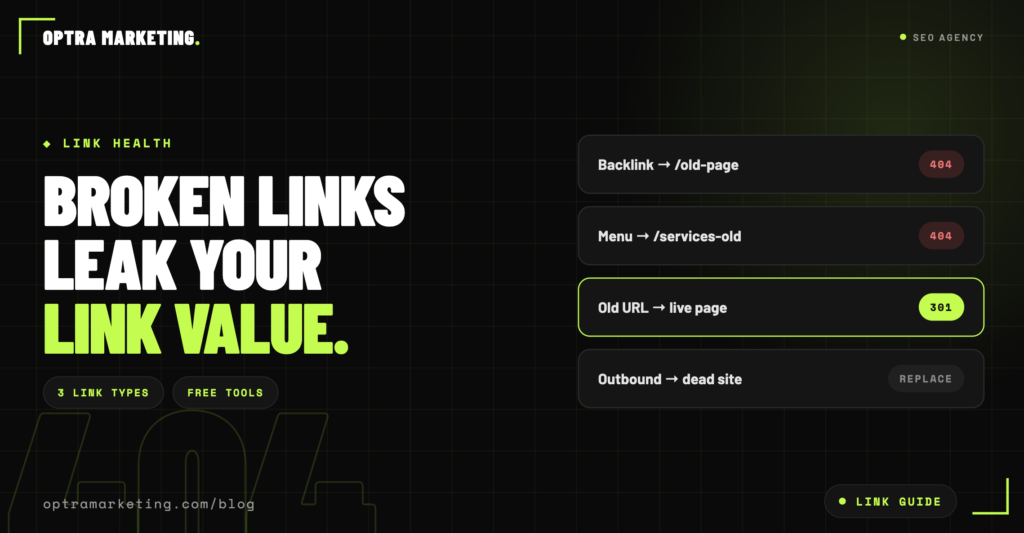
Every website collects broken links over time. A page is renamed, a service is discontinued, a blog post is deleted, and links that once worked lead to an error page. On their own, a few broken links won’t sink your rankings. But from a broken links SEO standpoint, some kinds cost you far more than others, and on small business sites the most expensive kind is usually invisible.
Broken Links and SEO: The Three Kinds That Matter
Broken Internal Links
These are links between pages on your own site that lead to a missing page. Visitors hit a dead end, and Google’s crawler wastes time on pages that don’t exist, which on a poorly linked site can leave real pages stuck as discovered but not yet indexed. Internal links are also how authority flows around your site, so a broken one stops value reaching the page it was meant for.
Broken Outbound Links
These point from your site to someone else’s page that no longer exists. They’re mostly a user experience problem. A handful won’t affect rankings, but a site full of them looks neglected.
Broken Backlinks
These are links from other websites pointing to a page on your site that no longer exists, and they’re the costly ones. Backlinks are among the strongest signals Google uses, and when they point to a 404 page, their value is largely lost. If you’ve been through a website redesign or a platform migration, there’s a good chance some of your best links now point to pages that are gone.
How to Find Broken Links
Google Search Console
The Pages report lists URLs returning “Not found (404).” Pay attention to any that were once important pages, and use the URL Inspection tool to see where Google found links to them.
A Site Crawler
Tools such as Screaming Frog crawl your site and list every broken internal and outbound link, along with the page it appears on. The free version covers most small business sites.
A Backlink Tool
Ahrefs, Semrush and similar tools have broken backlink reports showing external links that point to missing pages on your site. This is where the most valuable fixes are usually hiding.
Browser Extensions
For quick spot checks, extensions that highlight dead links on a page are handy after you publish or update content.
How to Fix 404 Errors and Broken Links
Internal Links
Update them to point to the correct live page. Don’t rely on redirects for links you control; edit the link itself so it goes straight to the destination.
Broken Backlinks
Add a 301 redirect from the dead URL to the most relevant live page. If the old page covered drain cleaning, redirect it to your current drain cleaning page, not your homepage. If the content was valuable and has no equivalent, consider restoring the page. For a particularly strong link, you can also ask the linking site to update its URL.
Outbound Links
Replace them with a working source, or remove them if there isn’t one.
Your 404 Page
Check that your 404 page is helpful. A custom page with your main services, a search box and your phone number keeps visitors who do hit a dead end from leaving.
Watch for Soft 404s
A soft 404 is a page that looks like an error to Google but returns a normal “OK” status, such as an empty category page or a page that says “no results found.” Search Console reports these separately. Either add real content to them, redirect them, or make them return a proper 404 status.
Don’t Redirect Everything to the Homepage
It’s tempting to send every missing URL to the homepage and call it fixed. Google tends to treat irrelevant redirects like that as soft 404s, so the link value doesn’t carry over the way a relevant redirect would. Match each old URL to the closest genuine equivalent, and let truly obsolete pages return a 404.
Frequently Asked Questions
Do broken links affect SEO if there are only a few?
There’s no fixed threshold. A few broken outbound links won’t matter much. What matters is whether broken links affect important pages, waste backlinks or create dead ends in your main navigation.
Do 404 errors hurt my rankings?
A 404 on a page that should be gone is normal and harmless. The problem is when pages with traffic or backlinks return 404s, or when your own links send visitors and crawlers to missing pages.
Should I fix broken links in old blog posts?
Yes, especially on posts that still get traffic. Updating them improves the experience for readers and keeps link value flowing to live pages.
What’s the difference between a 404 and a 410?
A 404 means the page wasn’t found. A 410 tells search engines the page has been permanently removed, which can lead them to drop it a little faster. For most small businesses, a 404 is fine.
How often should I check for broken links?
Monthly in Search Console, and with a full crawl every quarter as part of a broader technical SEO checklist. Always check after a redesign, migration or major content cleanup.
Reclaiming the Links You’ve Already Earned
The cheapest backlink you’ll ever get is one you already won years ago. Plenty of established businesses have dozens of links from local news outlets, suppliers and trade associations still pointing at pages that vanished in an old redesign. Pointing those dead URLs to the right live pages with proper redirects is often the quickest authority gain available, because the links themselves already exist.
That’s why Optra Marketing’s link building begins with recovery, pulling lost value back into your site before a single new link is pursued. On top of that, every plan adds fresh high-quality backlinks each month. Book a free strategy call, and we’ll tally up what your broken links are quietly costing you.

One comment
Comments are closed.
[…] page or one link in the chain breaking entirely and turning a valuable backlink into one of the broken links that hurt SEO. Clean, single-step redirects remove that […]