
Website Migration SEO: Switch Platforms Without Losing Rankings
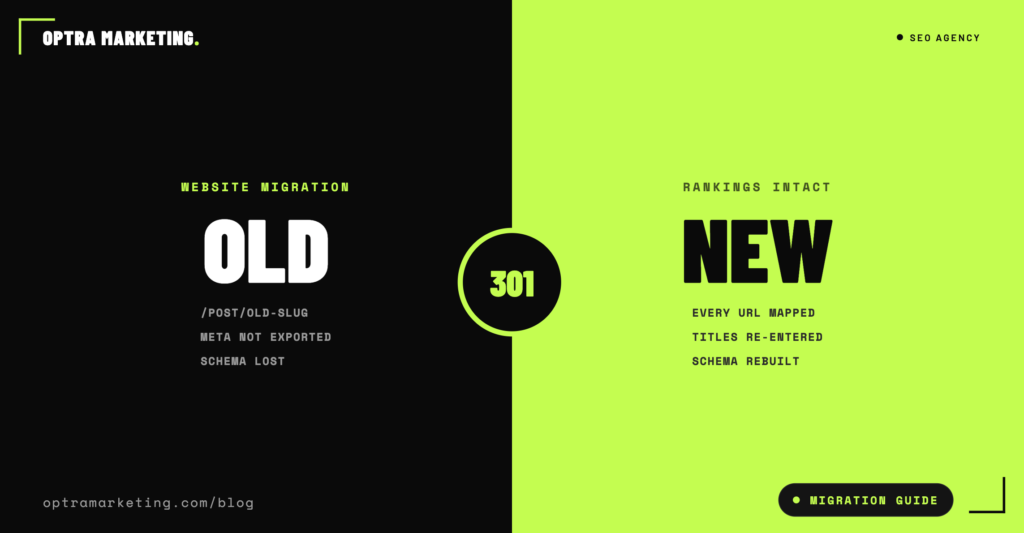
There are good reasons to change website platforms. Maybe you’ve outgrown a basic builder, need features your current system can’t offer, or want more control over speed and structure. But a platform migration is one of the riskiest things you can do to an established website’s search visibility, which is why website migration SEO deserves as much planning as the build itself.
Unlike a redesign on the same platform, a migration changes the foundations: how URLs are formed, how content is stored, how images are served and how pages are coded. Done carelessly, it can undo years of SEO. Done carefully, it can be the start of better performance.
First, Make Sure You Need to Move
Before committing, be clear about what the move will solve. Platform limitations are real, but many ranking problems blamed on a platform are actually caused by content, structure or settings that would follow you to the new system. If your current site is slow because of oversized images, or invisible because of a noindex tag hiding key pages, a migration won’t fix that on its own.
If the business case is sound, plan the move as an SEO project, not just a design or development one.
How Changing Website Platforms Affects SEO
A website redesign on the same platform lets you keep most URLs exactly as they are. A migration usually doesn’t. Every platform structures URLs its own way. Wix typically places blog posts under /post/, Squarespace often uses /blog/ with its own slug format, and Shopify puts standard pages under /pages/. When you move, many URLs will change whether you want them to or not, which makes the redirect plan the center of the whole project.
Other things change quietly too. Meta titles and descriptions may not export automatically. Image file names and alt text can be lost. Structured data added through one platform’s settings won’t exist on the new one. Forms, call tracking and analytics scripts all need to be rebuilt.
SEO Migration Checklist: The Five-Step Plan
1. Inventory Everything
Crawl the old site and export every URL, title tag, meta description, H1 and image. Record traffic and rankings for each important page from Search Console and Analytics.
2. Map Every URL
Create a spreadsheet with each old URL and its new destination. Match like for like: the old water heater page goes to the new water heater page, not the homepage. Include blog posts, location pages and any page with backlinks.
3. Move Content Intact
Transfer page copy, headings, FAQs and images, and re-enter titles and descriptions by hand if they don’t import. This is not the time for heavy rewrites; change one major variable at a time so you can see what affects rankings.
4. Rebuild the Technical Layer
Recreate schema markup, canonical tags, the XML sitemap, analytics, conversion tracking and any noindex rules for pages that shouldn’t be indexed.
5. Test Before Switching
Review the new site on a staging address protected by a password. Check speed, mobile layout, forms and every page in your top-traffic list.
Launch and Aftercare
Pick the Right Moment
Time the switch for a quieter period in your business if you can, rather than the start of your peak season.
Put Every Redirect Live at Once
On launch, activate all redirects together, then test old URLs to confirm each goes to the right new page in a single hop.
Update Your External Listings
Update the website link on your Google Business Profile if the URL structure changed, and refresh your most important local citations if they link to deep pages. Submit the new sitemap in Search Console, and if the domain itself changed, use Search Console’s change of address tool.
Monitor for Two Months
Check Search Console weekly for 404 errors and indexing problems, and compare traffic to your key pages against your pre-migration benchmark. A full pass through a technical SEO checklist a few weeks after launch will surface anything the redirect tests missed.
Frequently Asked Questions
Which website platform is best for SEO?
WordPress, Webflow, Shopify and even modern versions of Wix and Squarespace can all rank well. What matters more is setup, speed, structure and content. Choose based on your business needs, then configure it properly.
Can I keep my existing URLs?
Sometimes. Platforms with flexible URL settings let you recreate most existing paths. Where the new platform forces a different structure, 301 redirects preserve most of the value.
What happens to my backlinks?
They keep working if every linked URL redirects to its new equivalent. Backlinks pointing to URLs that break without a redirect lose their value.
Should I migrate and redesign at the same time?
It’s common, but it makes problems harder to diagnose. If you can, keep the content and structure close to the original during the move, and make bigger design or content changes once rankings have settled.
How long does it take for rankings to settle after a website migration?
With a clean redirect plan, most sites stabilize within a few weeks to a couple of months. Larger sites, or migrations with missed redirects, can take longer.
Moving Platforms With Your Rankings Intact
Optra Marketing builds and hosts WordPress sites alongside our SEO work, so we see platform moves from the developer’s chair as well as the search side. That vantage point is exactly why we’ll tell you when a move isn’t worth it. If your current platform can do what you need, repairing what’s already there is usually quicker, cheaper and far less risky than starting again somewhere new.
When switching genuinely is the right call, we own the website migration SEO from start to finish: the URL inventory, the redirect map, the rebuilt technical SEO layer and the weeks of monitoring after launch, so the new site carries forward every ranking the old one worked for. Before you sign off on a migration, book a free strategy call and we’ll give you a straight answer on whether moving makes sense.

2 Comments
Comments are closed.
[…] businesses launching a new site, whether it’s a brand-new company or an established business moving to a new domain or platform. It focuses on the work that pays off […]
[…] to a 404 page, their value is largely lost. If you’ve been through a website redesign or a platform migration, there’s a good chance some of your best links now point to pages that are […]