
Redirect Chains and 301s: Where Your Link Authority Leaks
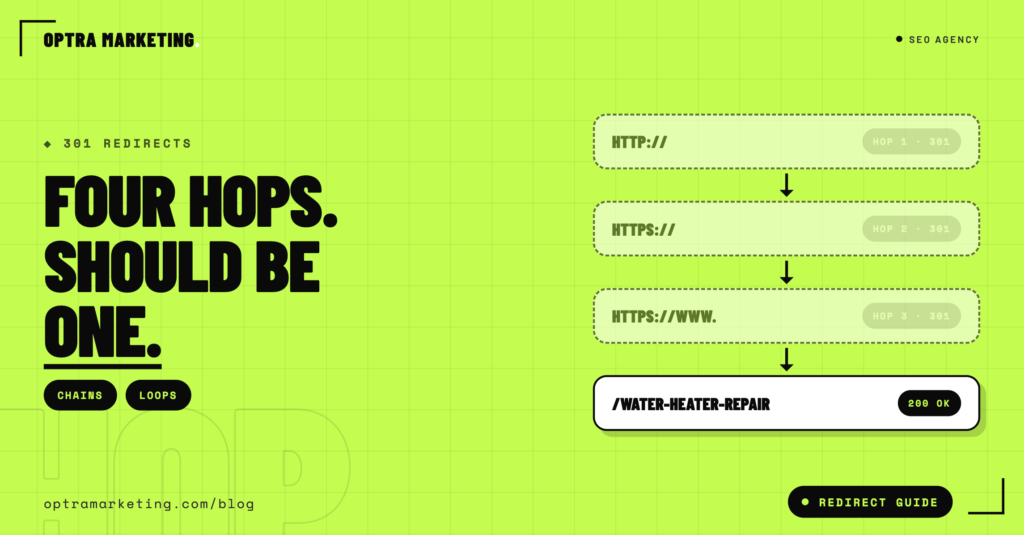
Redirects are one of the most useful tools in SEO. They send visitors and search engines from an old URL to a new one, carrying most of the old page’s value with them. But redirects pile up. A site that has been redesigned twice, moved to HTTPS and switched domains once can easily have URLs that bounce through three or four redirects before reaching a real page.
Those are redirect chains, and they’re common on established small business websites. Each extra hop slows things down and adds another chance for something to break. The good news is that they’re straightforward to find and fix once you know where to look.
A Quick Guide to Redirect Types and 301 Redirect SEO
301 (Permanent)
Tells search engines the page has moved for good. This is the right choice for almost every SEO situation, including retired pages, changed URLs and domain moves.
302 (Temporary)
Tells search engines the move is short-term and the original URL will return. It’s meant for things like a temporary promotion. Using a 302 for a permanent move sends mixed signals about which URL should rank.
Meta Refresh and JavaScript Redirects
These happen in the browser rather than on the server. Search engines can follow them, but they’re slower and less reliable than a server-side 301.
How Redirect Chains Form
Chains rarely come from one bad decision. They build up over years. Picture a plumbing company‘s water heater page:
- In 2018 the page lived at http://plumbco.com/water-heaters.
- The site moved to HTTPS, so that URL now redirects to https://plumbco.com/water-heaters.
- The site added www, adding another hop to https://www.plumbco.com/water-heaters.
- A redesign renamed the page, adding a final hop to /water-heater-repair.
A local newspaper that linked to the original URL in 2018 now sends visitors through four steps. Nobody planned it, but every change added a link to the chain.
Redirect Loops
Redirect loops are the worse version: URL A redirects to B, which redirects back to A. Browsers show an error, and search engines give up. Loops usually appear when two conflicting rules are added at different times, such as one forcing a trailing slash and another removing it.
What Redirect Chains Cost You
Speed
Every hop adds a round trip before the page starts loading. On mobile connections that delay is noticeable, and it stacks on top of everything else that makes a slow site cost you customers and rankings.
Crawling
Google follows a limited number of hops in one go, and long chains can stop it reaching the final page on that visit. Even short chains waste crawling on intermediate URLs, which can leave new pages sitting as discovered but not indexed for longer than they should.
Signal Clarity
Google has said that 301 redirects don’t lose PageRank in themselves. But every extra hop is another place where a mistake can happen, such as a 302 slipping in, a hop pointing to the wrong page or one link in the chain breaking entirely and turning a valuable backlink into one of the broken links that hurt SEO. Clean, single-step redirects remove that risk.
Finding Redirect Chains and Loops
Run a crawl of your site with a tool such as Screaming Frog, which has a dedicated redirect chains report showing every URL that passes through more than one hop. Also check the old URLs that other sites link to, using a backlink tool, because those often sit at the start of the longest chains.
For quick checks on individual URLs, free online redirect checkers show each step and the status code returned at every hop. Test your most important service pages first, then the old addresses with the most backlinks.
Cleaning Up Redirect Chains
Point Every Old URL Straight to the Final Destination
In the plumbing example, all four historical versions should redirect directly to /water-heater-repair in one step.
Update Internal Links
Your navigation, buttons and content should link to final URLs, never to addresses that redirect.
Consolidate Rules at the Server Level
Protocol and www redirects should be handled by one combined rule rather than separate steps. The same rule set is what stops duplicate versions of every page from loading in the first place.
Replace Misused 302s
Swap any 302 used for a permanent move with a 301.
Test After Every Launch
Each redesign or platform migration is a chance to create new chains, so check them as part of the launch process. A thorough website SEO audit traces every chain back to its source.
Keep a Redirect Log
The simplest way to stop chains from returning is to write things down. Keep a shared spreadsheet listing every redirect, the date it was added, who added it and why. When the next developer or designer touches the site, they can update existing rules instead of stacking new ones on top, and nobody has to rediscover the history from scratch.
Frequently Asked Questions
Do 301 redirects lose link value?
Google has stated that 301 redirects don’t cause PageRank loss. In practice, the risk comes from long chains, wrong destinations and irrelevant redirects, not from the redirect type itself.
How many redirect hops is too many?
Ideally, every redirect should be a single hop. Two is tolerable occasionally; three or more should be cleaned up, especially for URLs with backlinks.
When should I use a 302 instead of a 301?
Only when a move is genuinely temporary and the original page will return, such as a short seasonal campaign. For anything permanent, use a 301.
Can I delete old redirects after a while?
Keep them as long as anything still links to the old URLs, which for backlinks can be indefinitely. Removing redirects that still receive links or visits throws away their value.
Can redirect chains cause a ranking drop?
On their own they rarely cause dramatic drops, but they contribute to slower pages and weaker signals. Combined with broken hops or wrong destinations, they can absolutely cost rankings for important pages.
Tracing Every Old URL to Its Final Destination
Most redirect problems are layers of history: rules added by different developers across different years, rarely documented and seldom revisited. Optra Marketing maps every historical URL on your site, follows each redirect chain to wherever it finally lands, and rebuilds the rules so every old address reaches the correct page in a single step.
It’s painstaking work that many agencies skip because clients never see it on the surface. Yet it’s frequently where the authority from years of earned links is draining away unnoticed. Advanced technical SEO of this depth is built into our Growth plan. Book a free strategy call, and we’ll trace where your old URLs actually lead today.
